Blog

SLAM system for AR/VR: Next-Gen Full Fusion Tracking

SLAM system for AR/VR: Next-Gen Full Fusion Tracking

At LP-Research, we have been pushing the boundaries of spatial tracking with our latest developments in Visual SLAM (Simultaneous Localization and Mapping) and sensor fusion technologies. Our new SLAM system, combined with what we call “Full Fusion,” is designed to deliver highly stable and accurate 6DoF tracking for robotics, augmented and virtual reality applications.

System Setup

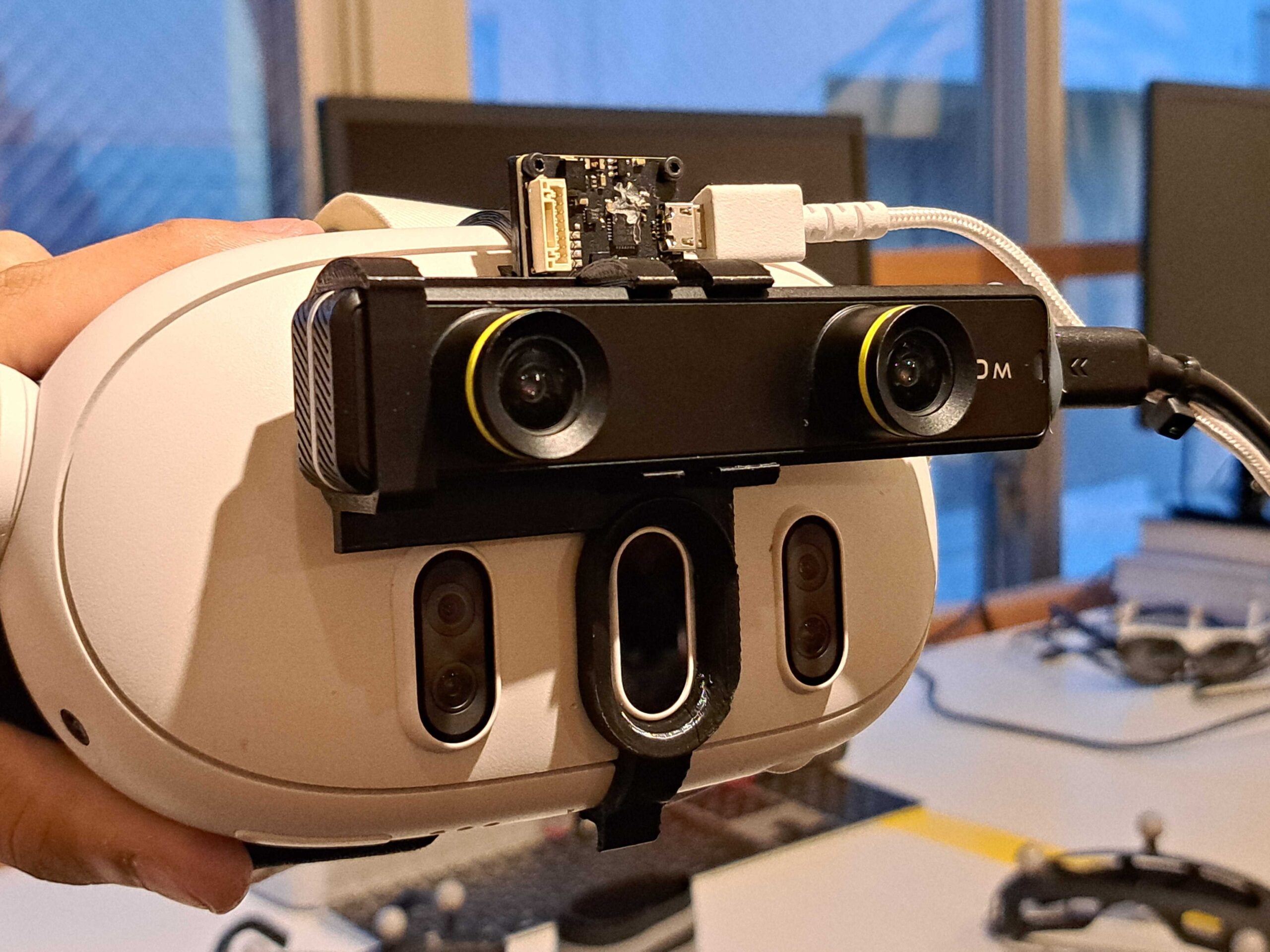
To demonstrate the progress of our development, we ran LPSLAM together with FusionHub on a host computer and forwarded the resulting pose to a Meta Quest 3 mixed reality headset for visualization using LPVR-AIR. We created a custom 3D-printed mount to affix the sensors needed for SLAM and Full Fusion, a ZED Mini stereo camera and an LPMS-CURS3 IMU sensor onto a the headset.

This mount ensures proper alignment of the sensor and camera with respect to the headset’s optical axis, which is critical for accurate fusion results. The system connects via USB and runs on a host PC that communicates wirelessly with the HMD. An image of how IMU and camera are attached to the HMD is shown below.

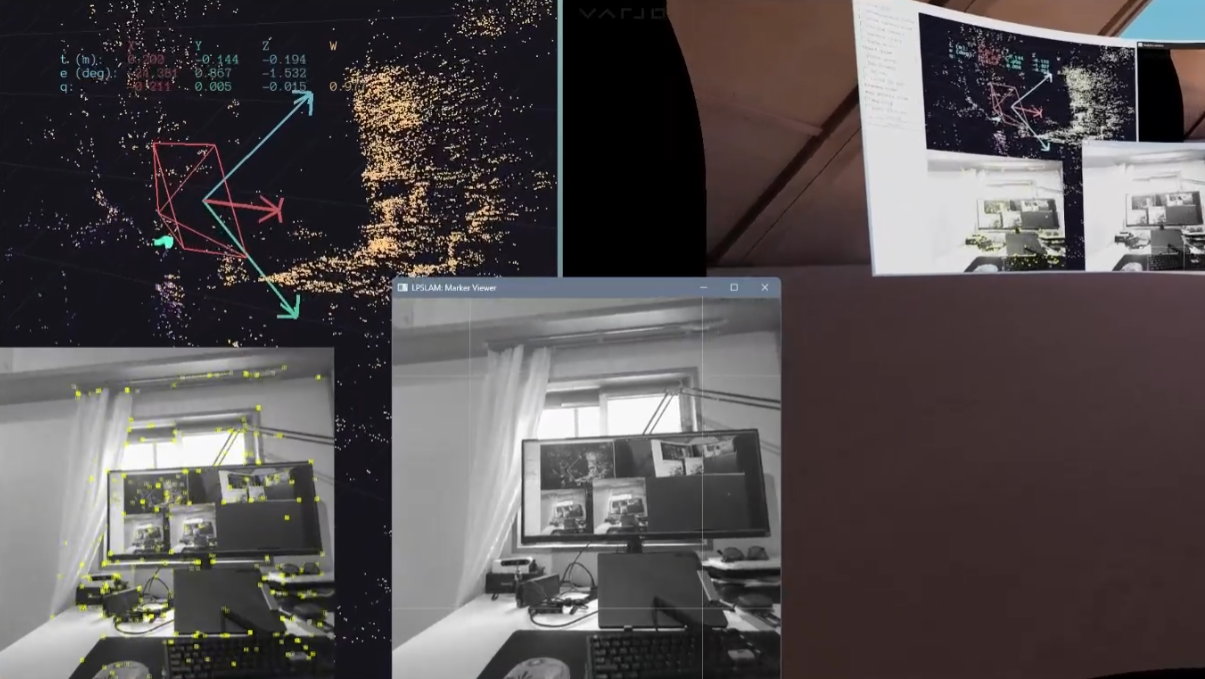
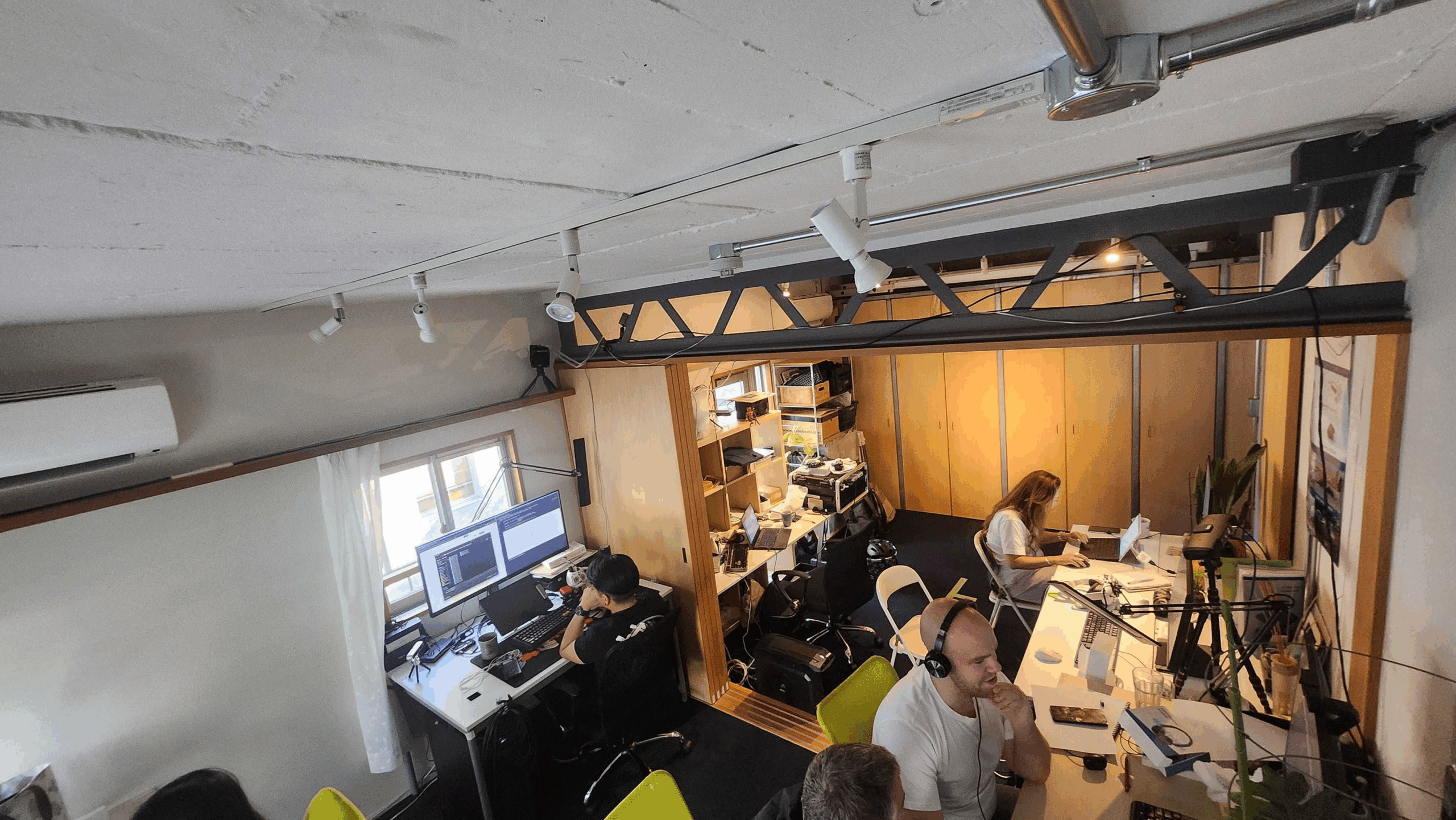
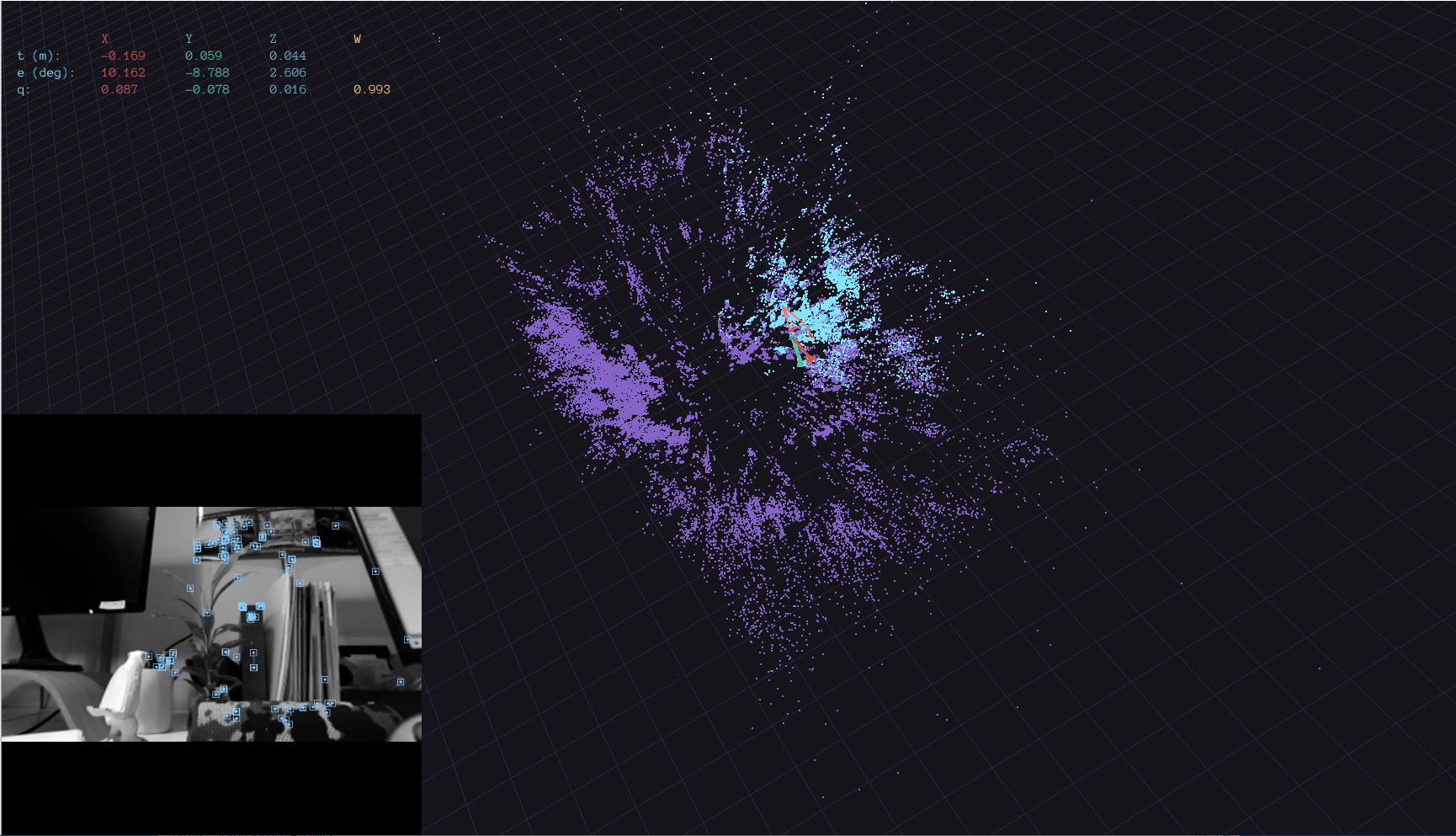
In the current state of our developments we ran tests in our laboratory. The images below show a photo of the environment next to how this environment translates into an LPSLAM map.

Tracking Across Larger Areas

A walk through the office based on a pre-built map yields good results. The fusion in this experiment is our regular IMU-optical fusion and therefore doesn’t support translation information with integrating accelerometer data. This leads to short interruptions of position tracking in certain areas where feature points aren’t found. We at least partially solve this problem with the full fusion shown in the next paragraph.

video

What is Full Fusion?

Traditional tracking systems rely either on Visual SLAM or IMU (Inertial Measurement Unit) data, often with one compensating for the other. Our Full Fusion approach goes beyond orientation fusion and integrates both IMU and SLAM data to estimate not just orientation but also position. This combination provides smoother, more stable tracking even in complex, dynamic environments where traditional methods tend to struggle.

By fusing IMU velocity estimates with visual SLAM pose data through a through a specialized filter algorithm, our system handles rapid movements gracefully and removes jitter seen in pure SLAM-only tracking. The IMU handles fast short-term movements while SLAM ensures long-term positional stability. Our latest releases even support alignment using fiducial markers, allowing the virtual scene to anchor precisely to the real world. The video below shows the SLAM in conjunction with the Full Fusion.

video

Real-World Testing and Iteration

We’ve extensively tested this system in both lab conditions and challenging real-world environments. Our recent experiments demonstrated excellent results. By integrating our LPMS IMU sensor and running our software pipeline (LPSLAM and FusionHub), we achieved room-scale tracking with sub-centimeter accuracy and rotation errors as low as 0.45 degrees.

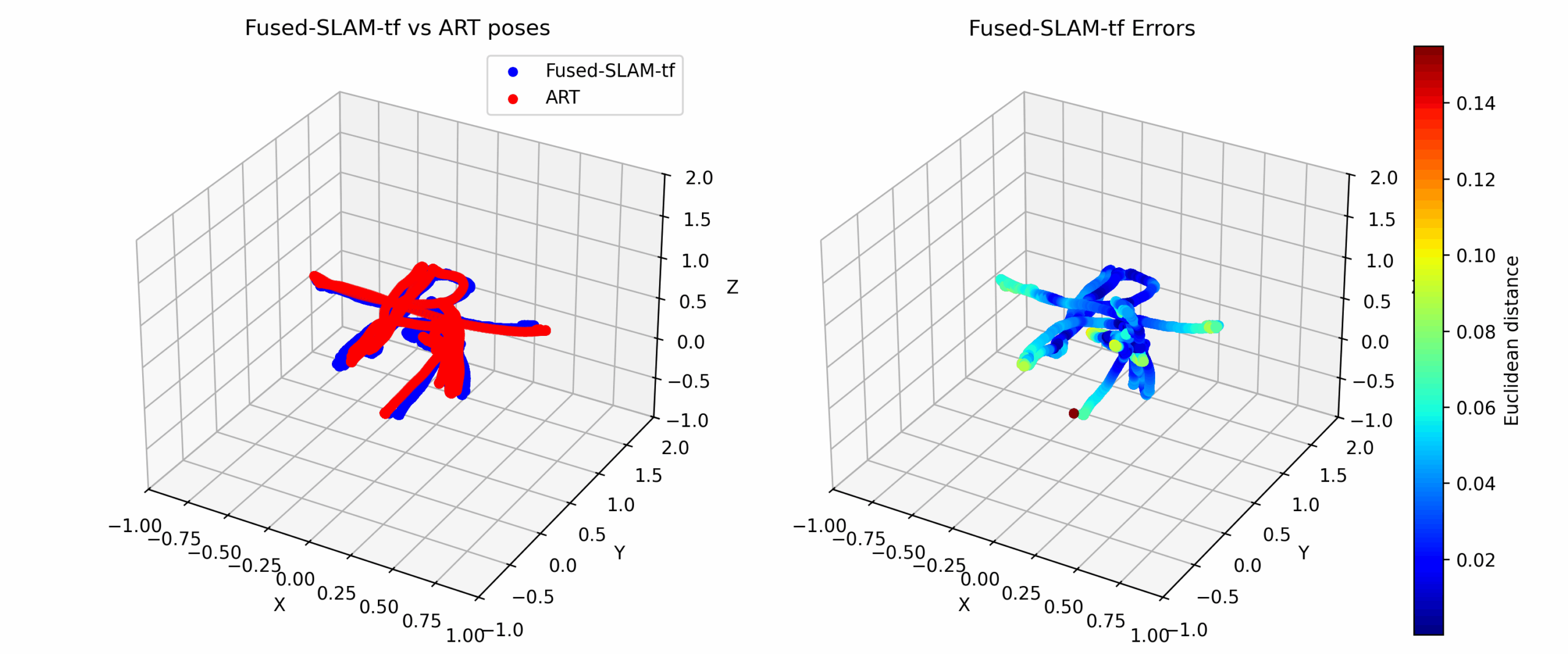
In order to evaluate the performance of the overall solution we compared the output from FusionHub with pose data recorded by an ART Smarttrack 3 tracking system. The accuracy of an ART tracking system is in the sub-mm range and therefore is sufficienty accurate to characterize the performance of our SLAM. The result of one of several measurement runs is shown in the image below. Note that both systems were alignment and timestamp synchronized to correctly compare poses.

Developer-Friendly and Cross-Platform

The LP-Research SLAM and FusionHub stack is designed for flexibility. Components can run on the PC and stream results to an HMD wirelessly, enabling rapid development and iteration. The system supports OpenXR-compatible headsets and has been tested with Meta Quest 3, Varjo XR-3, and more. Developers can also log and replay sessions for detailed tuning and offline debugging.

Looking Ahead

Our roadmap includes support for optical flow integration to improve SLAM stability further, expanded hardware compatibility, and refined UI tools for better calibration and monitoring. We’re also continuing our efforts to improve automated calibration and simplify the configuration process.

This is just the beginning. If you’re building advanced AR/VR systems and need precise, low-latency tracking that works in the real world, LP-Research’s Full Fusion system is ready to support your journey.

To learn more or get involved in our beta program, reach out to us.

Wireless Mixed Reality with LPVR-AIR 3.3 and Meta Quest

Achieving Accurate Mixed Reality Overlays

In a previous blog post we’ve shown the difficulties of precisely aligning virtual and real content using the Varjo XR-3 mixed reality headset. In spite of the Varjo XR-3 being a high quality headset and accurate tracking using LPVR-CAD we had difficulties reaching correct alignment for different angles and distances from an object. We concluded that the relatively wide distance between video passthrough cameras and the displays of the HMD causes distortions that are hard to be corrected by the Varjo HMD’s software.

Consumer virtual reality headsets like the Meta Quest 3 have only recently become equipped with video passthrough cameras and displays that operate at similar image quality as the Varjo headsets. We have therefore started to extend our LPVR-AIR wireless VR software with mixed reality capabilities. This allows us to create similar augmented reality scenarios with the Quest 3 as with the Varjo XR series HMDs.

video

Full MR Solution with LPVR-AIR and Meta Quest

The Quest 3 is using pancake optics that allow for a much closer distance between passthrough cameras and displays. Therefore the correction of the camera images the HMD has to apply to align virtual and real content accurately is reduced. We show this in the video above. We’re tracking the HMD using our LPVR-AIR sensor fusion and an ART Smarttrack 3 outside-in tracking system. Even though the tracking accuracy we can reach with the tracking camera placed relatively far away from the HMD is limited, we achieve a very good alignment between the virtual cube and real cardboard box, even with varying distances from the object.

This shows that using a consumer grade HMD like the Meta Quest 3 with a cost-efficient outside-in tracking solution a state-of-the-art mixed reality setup can be achieved. The fact that the Quest 3 is wirelessly connected to the rendering server adds to the ease-of-use of this solution.

The overlay accuracy of this solution is superior to all other solutions on the market that we’ve tried. Marker-based outside-in tracking guarantees long-term accuracy and repeatability, which is usually an inssue with inside-out or Lighthouse-based tracking. This functionality is supported from LPVR-AIR version 3.3.

video

Controller and Optical Marker Tracking

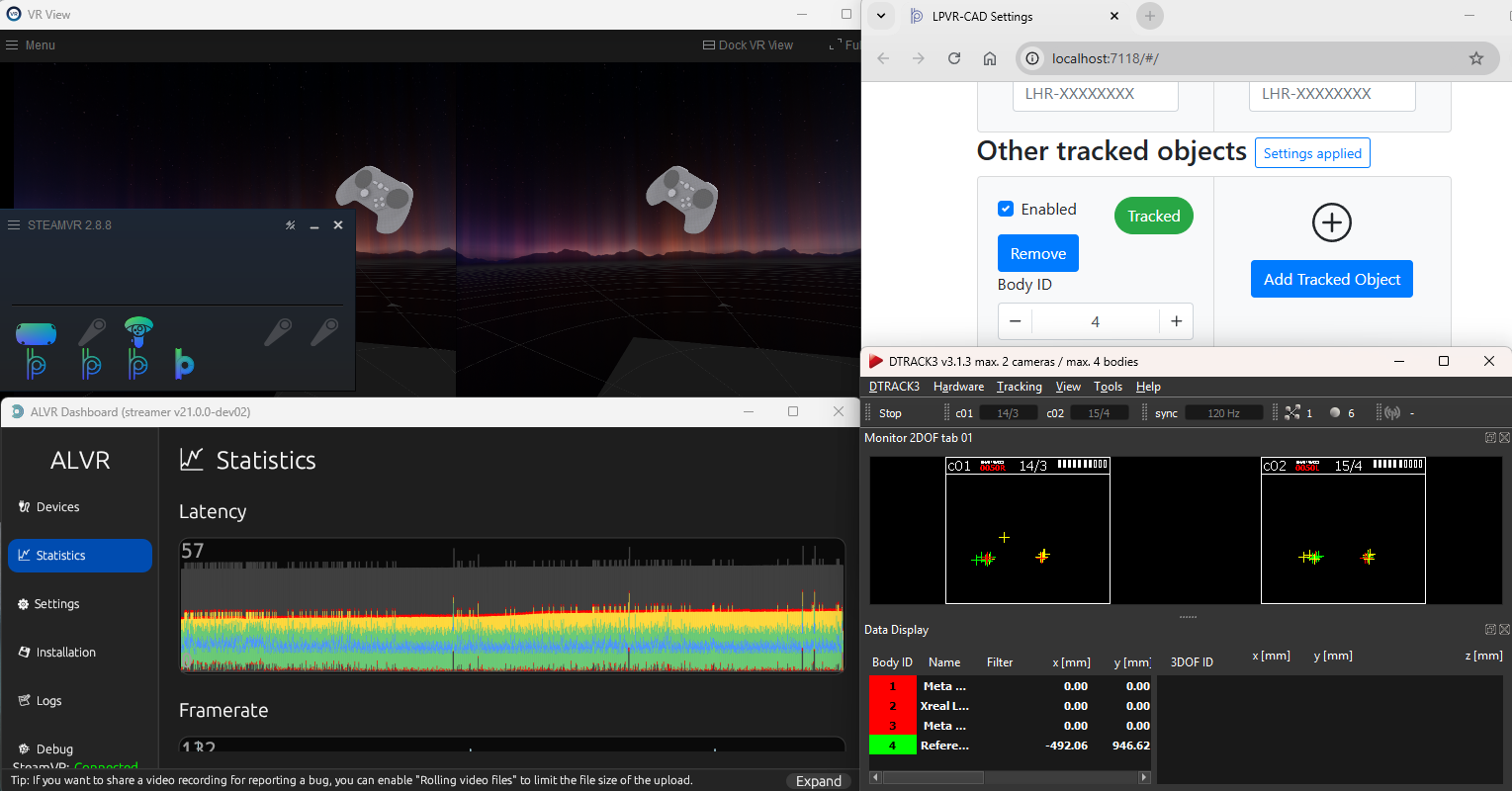
In addition to delivering high-quality mixed reality and precise wireless headset tracking, LPVR-AIR seamlessly integrates controllers tracked by the HMD’s inside-out system with objects tracked via optical targets in the outside-in tracking frame, all within a unified global frame. The video above shows this unique capability in action.

When combined with our LPVR-CAD software, LPVR-AIR enables the tracking of any number of rigid bodies within the outside-in tracking volume. This provides an intuitive solution for tracking objects such as vehicle doors, steering wheels, or other cockpit components. Outside-in optical markers are lightweight, cost-effective, and require no power supply. With camera-based outside-in tracking, all objects within the tracking volume remain continuously tracked, regardless of whether the user is looking at them. They can be positioned with millimeter accuracy and function reliably under any lighting conditions, from bright daylight to dark studio environments.

video

In-Car Head Tracking with LPVR-AIR

After confirming the capability of LPVR-AIR to work well with large room scale mixed reality setups, we started developing the system’s functionality to do accurate head tracking in a moving vehicle or on a simulator motion platform. For this purpose we ported the algorithm used by our LPVR-DUO solution to LPVR-AIR. With some adjustments we were able to reach a very similar performance to LPVR-DUO, this time with a wireless setup.

Whereas the video pass-through quality of the Quest and Varjo HMDs are comparable in day and night-time scenarios, the lightness and comfort of a wireless solution is a big advantage. Compatibility with all OpenVR or OpenXR compatible applications on the rendering server makes this solution a unique state-of-the art simulation and prototyping tool for autmotive and aerospace product development.

Release notes

See the release notes for LPVR-AIR 3.3 here.

LPVR New Release 4.9.2 – Varjo XR-4 Controller Integration and Key Improvements

New release LPVR-CAD and LPVR-DUO 4.9.2

As it is with software, our LPVR-CAD and LPVR-DUO products for high-fidelity VR and AR need maintenance updates. Keeping up-to-date with the wide range of supported hardware as well as fixing issues that are discovered necessitates a release every now and then. Our latest release, LPVR-CAD 4.9.2 and LPVR-DUO 4.9.2 is no different. This blog post summarizes the changes in the latest version, LPVR-CAD 4.9.2 and LPVR-DUO-4.9.2.

Support for Varjo XR-4 Controllers

The feature with the highest visibility is support for the hand controllers that Varjo ships with the Varjo XR-4 headset. These controllers are tracked by the headset itself, and Varjo Base 4.4 adds an opt-in way of supporting them with LPVR-CAD. Varjo does not enable the controllers by default because the increased USB traffic can negatively affect performance on some systems, and so an LPVR user has to decide whether the added support is worth it on their system. Of course, we also continue supporting the SteamVR controllers together with LPVR-CAD. We detailed their use with the XR-4 in our documentation.

To enable the Varjo controllers in LPVR-CAD, first open Varjo Base. Then navigate to the System tab in Varjo Base. When LPVR-CAD is configured you will find a new input field, depicted below.

Setting its value to “true” will enable controller support, and “false” will disable it. After changing the value, scroll down to the Submit button and click it to effect the change. Varjo also recommends restarting Base after making this change.

Please note that this input is handled by Varjo Base itself, and so this button will also appear in older versions of Varjo Base, for reasons that are too broad to go into here. Providing this support quickly had higher priority to Varjo and us than polish. One issue that can cause confusion is that the Varjo Home screen will not display the controllers, at least in Varjo Base 4.4.0. Unity applications will have to be updated to a recent version of the Varjo plugin. Varjo is working on improving these issues.

Updated Support for JVC HMD-VS1W

An interesting AR headset of see-through type is JVC’s HMD-VS1W. It is a niche product which is typically used in the aeronautical sector. This is a headset which uses Valve tracking with a few custom twists. With a recent software update on their side (version 1.5.0) compatibility with LPVR was broken, but it was easy enough to restore and we have recovered full compatibility.

Various other changes

One of the key points when creating an immersive VR and AR experience is that the motion should appear as smooth as possible. We are therefore constantly refining our algorithms to meet that goal. This release significantly improves the smoothness of rotations, especially for Varjo’s third-generation headsets such as the Varjo Aero and the Varjo XR-3.

We fixed a condition where under some circumstances LPVR-DUO would crash after calibrating the platform IMU. This was related to a multi-threading issue which caused a so-called deadlock in the driver.

We also added support for a global configuration of our SteamVR driver which can be overridden by local users. Since automatic support for this requires major changes to our installers and uninstallers, we decided to postpone enabling this feature by default. Please get in touch if that is something you want to use already.

We often recommended the so-called “freeGravity” feature to our users to improve visual performance in most circumstances. We changed the default for this setting to match the needs for the most common use cases.

Important note for LPVR-CAD, LPVR-DUO users with Varjo headsets:

Customers who initially purchased LPVR-CAD, LPVR-DUO for the Varjo XR-3 and wish to upgrade to the XR-4 must purchase a separate license upgrade to ensure compatibility. Orders placed before 2024 only cover up to Varjo XR-3 HMD, and orders made from 2024 will cover up to Varjo XR-4 HMD.

We recommend reviewing your maintenance coverage and hardware plans before making upgrades or deploying LPVR across multiple locations. For questions, feel free to contact our support team.

Your cart

Subtotal$0.00
Tax + shipping calculated at checkout.

Page history

Asset library