Components of a VR/AR Operating System
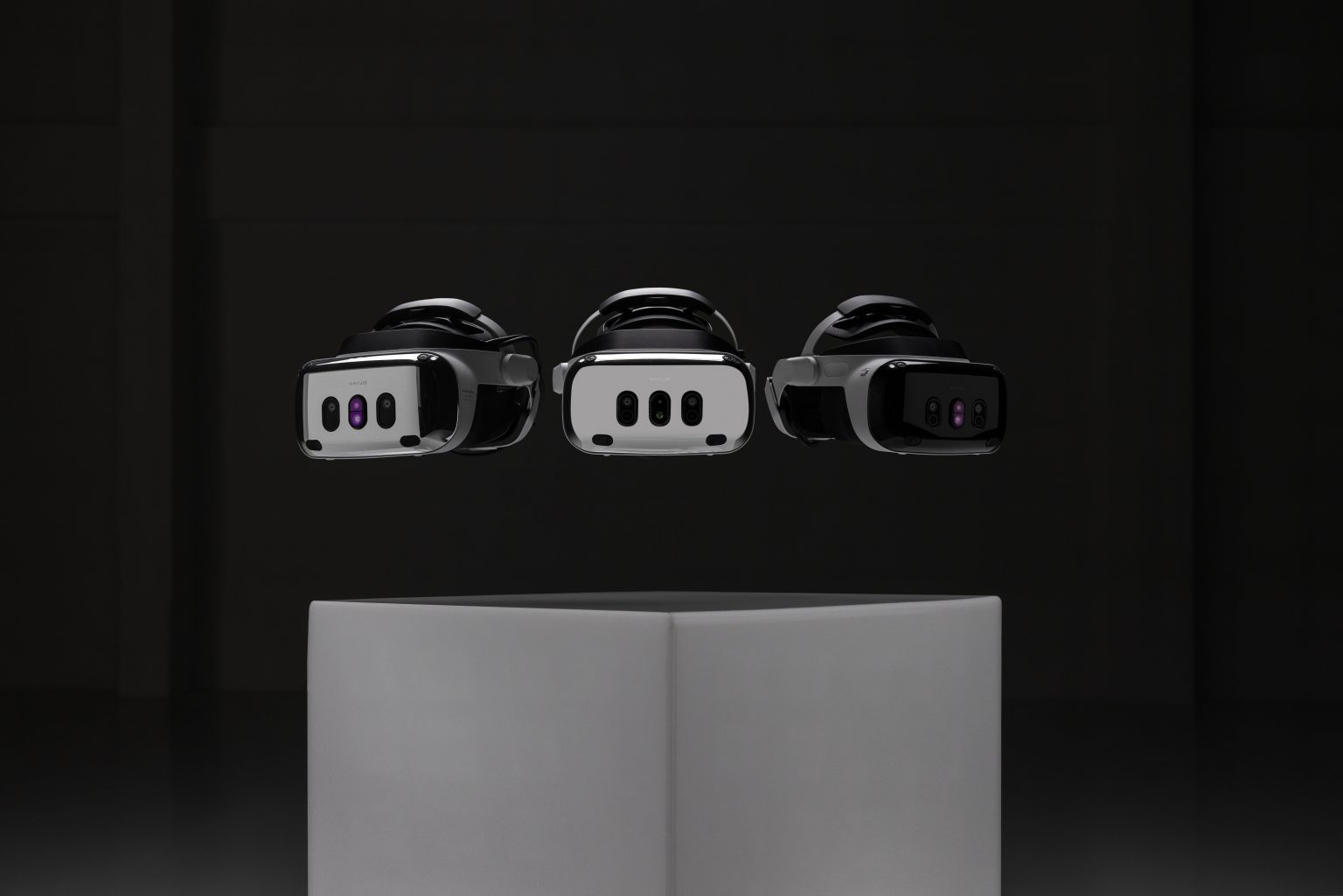
Augmented and virtual reality technology helps boost worker productivity in various fields such as automotive, aerospace, industrial production, and more. Whereas the context of these applications is usually fairly specific, some aspects are common to many of these use cases. In this article, we will specifically explore the topic of pose tracking of Varjo head mounted displays (HMDs) based on LP-RESEARCH’s LPVR operating system. We will further on show two customer use cases that utilize LPVR in different ways.
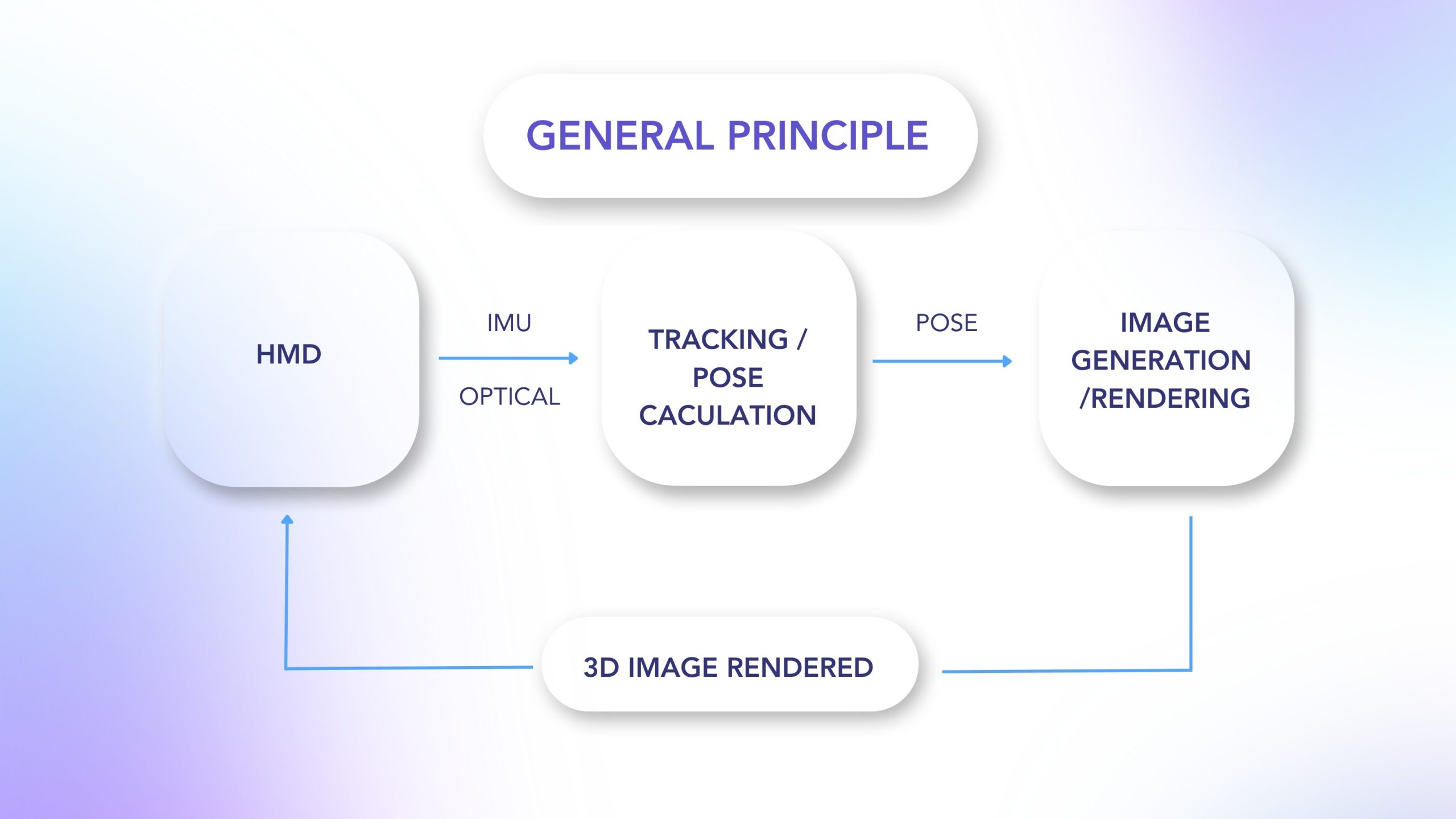
In a typical VR/AR setup, you find three main subsystems as shown in the illustration below:

With our LPVR operating system, we connect these three building blocks of an VR/AR system and make them communicate seamlessly with each other while providing a simple, unified interface to the user. Depending on the specific use case, users might select different types of hardware to build their VR/AR setup. Therefore LPVR offers a wide range of interface options to adapt to systems from various manufacturers.
LPVR Flavors
LPVR operates in different flavors, we can group end applications into two categories:
- LPVR-CAD – Static AR/VR setups, where multiple users operate and collaborate in one or more joint tracking volumes. These tracking volumes can be situated in different locations.
- LPVR-DUO – AR/VR systems that are located in a vehicle or on a motion platform: such systems have special requirements, especially on the tracking side. If, for example, you would want to track a headset inside a car, displaying a virtual cockpit anchored to the car frame, and a virtual outside world fixed to a global coordinate system, means of locating the car in the world and referencing the HMD locally in the car frame are required.
In the following paragraphs, we will introduce two customer use cases that cover these two basic scenarios.
Large-scale Industrial Design at Hyundai

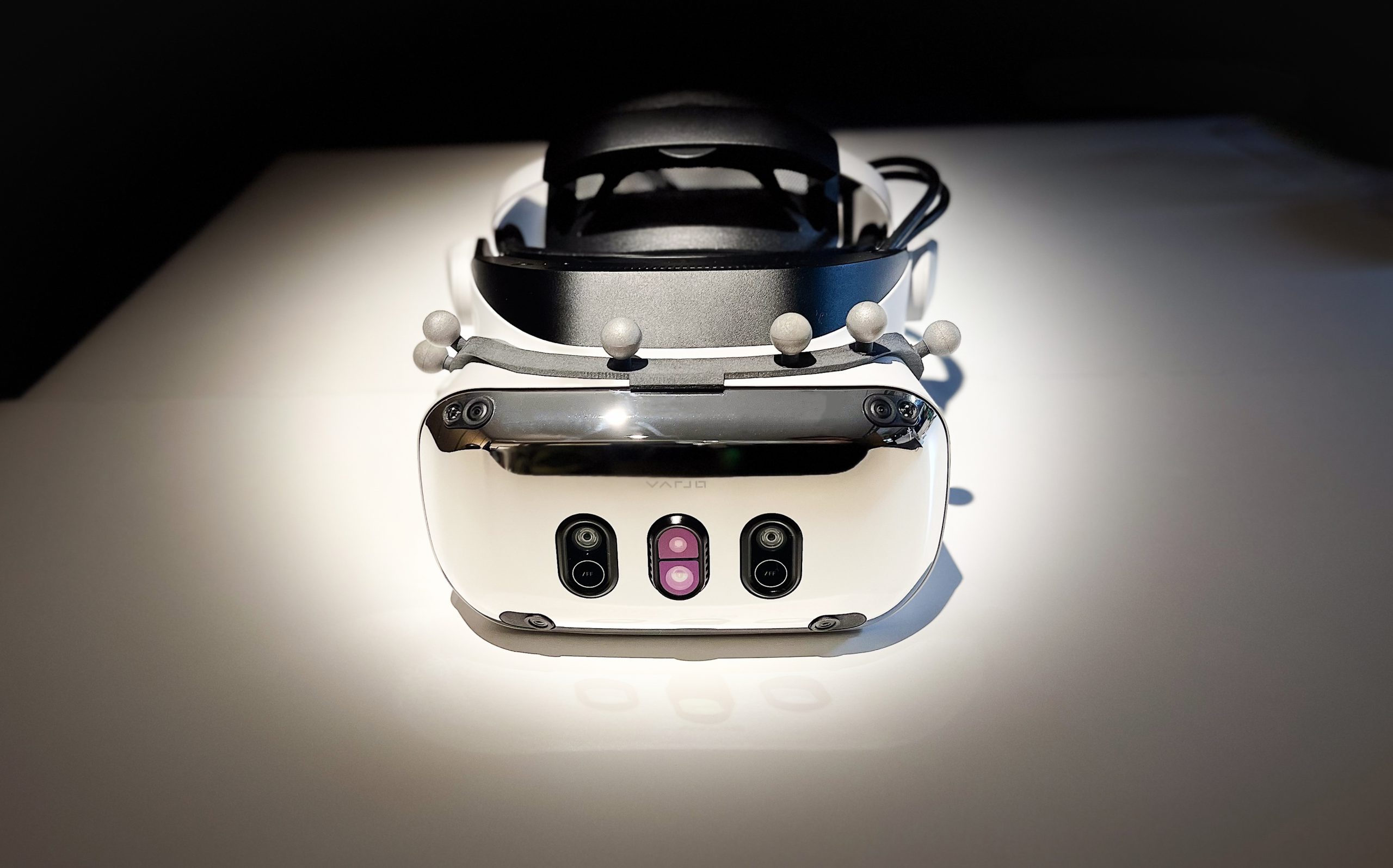
– Varjo XR-3 at Hyundai Design Center with optical markers attached. Image credit: Hyundai
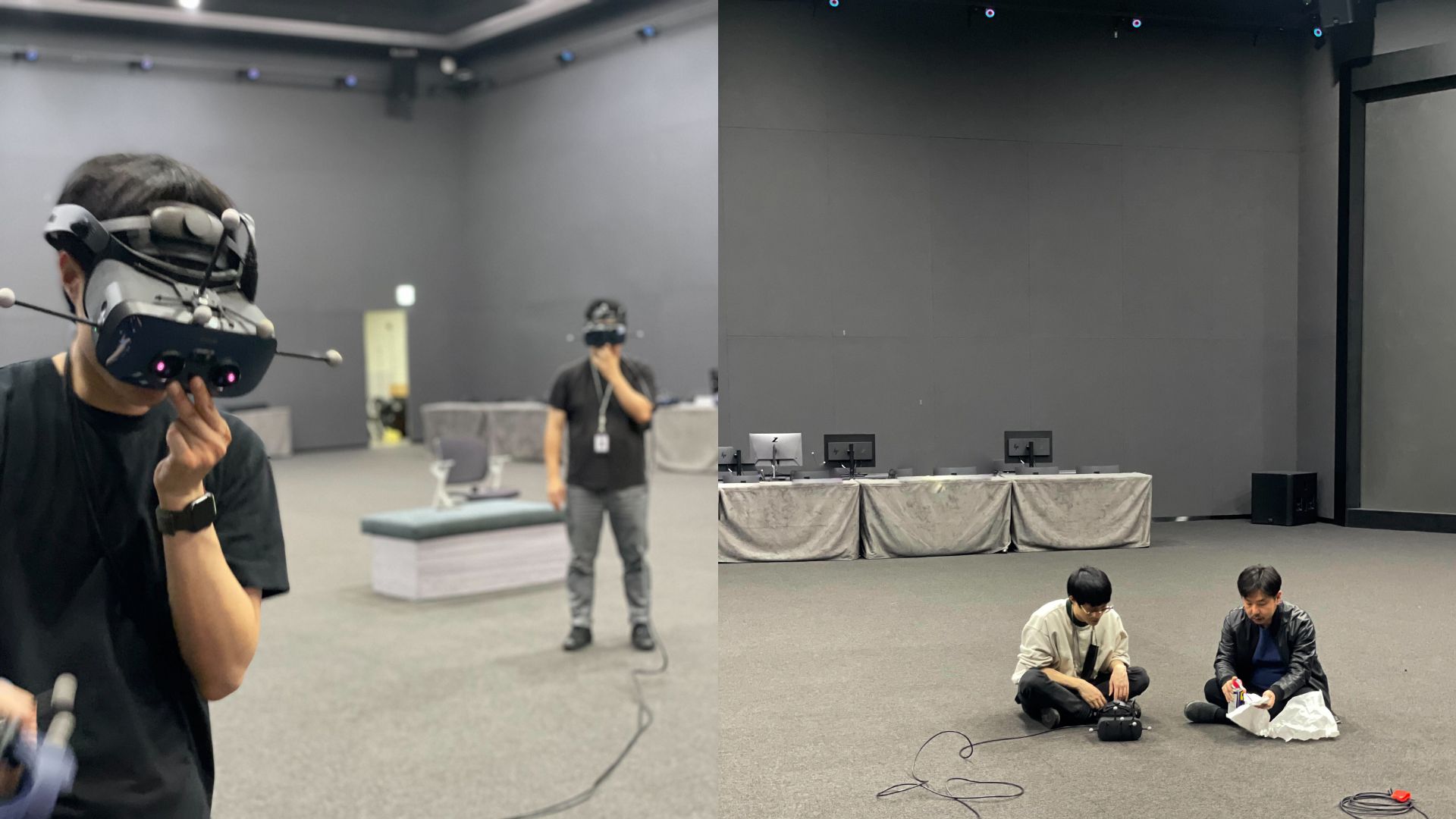
For the Korean automotive company Hyundai Motor Company, we created a large, location-based virtual reality installation at their research and development center in Namyang, Korea. The system is used to showcase, amend and modify prototype and production-ready automobile designs.
This application uses optical outside-in tracking and LP-RESEARCH’s LPVR-CAD solution to track up to 20 users wearing head-mounted displays. While LPVR allows a mix of different headset types to operate in the same tracking volume, the Varjo XR-3 gives the most outstanding performance to inspect objects in high resolution and great detail. Additionally to an HMD, users carry hand controllers for a total of more than 40 tracked objects in a space close to 400 sqm.


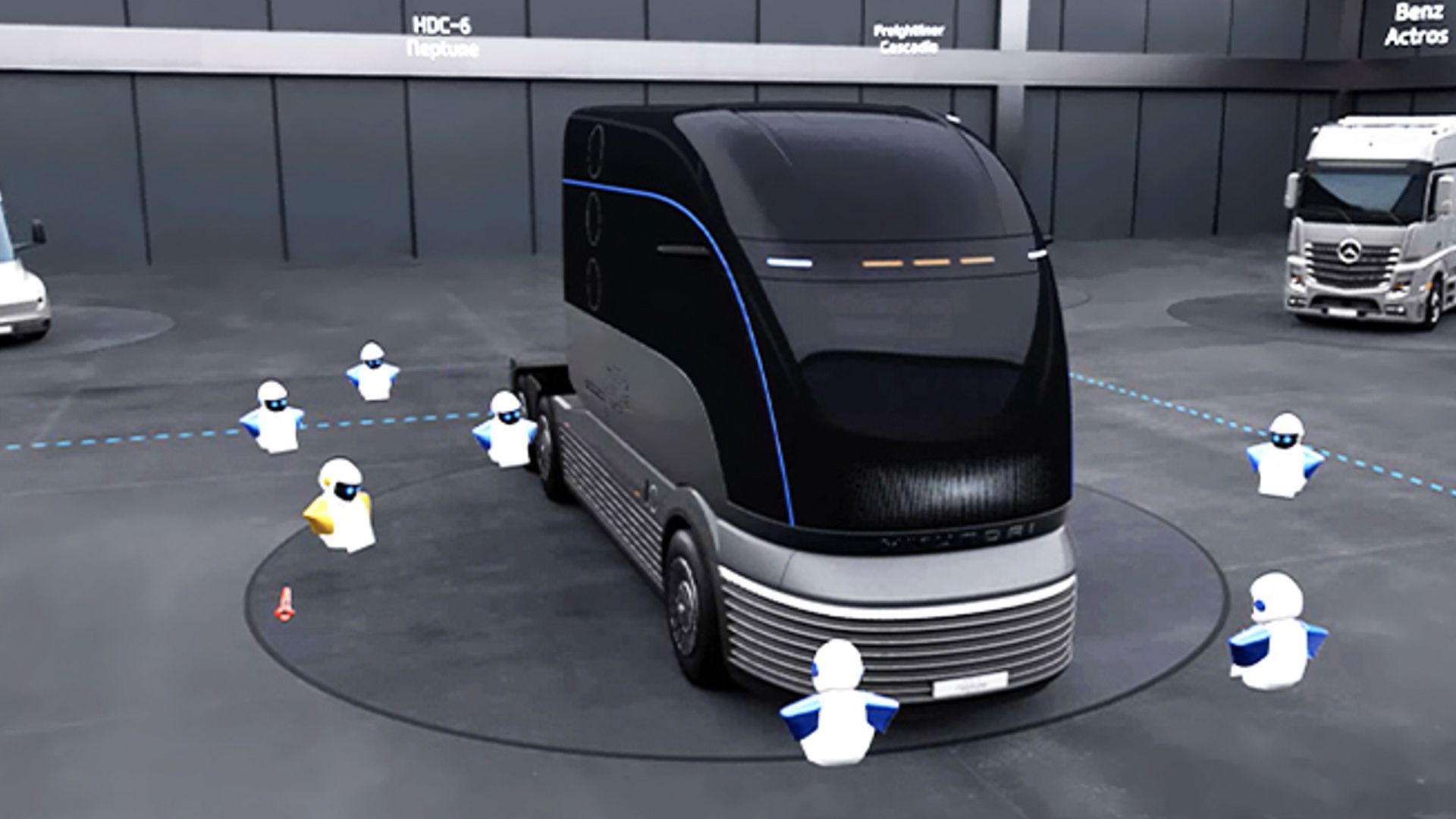
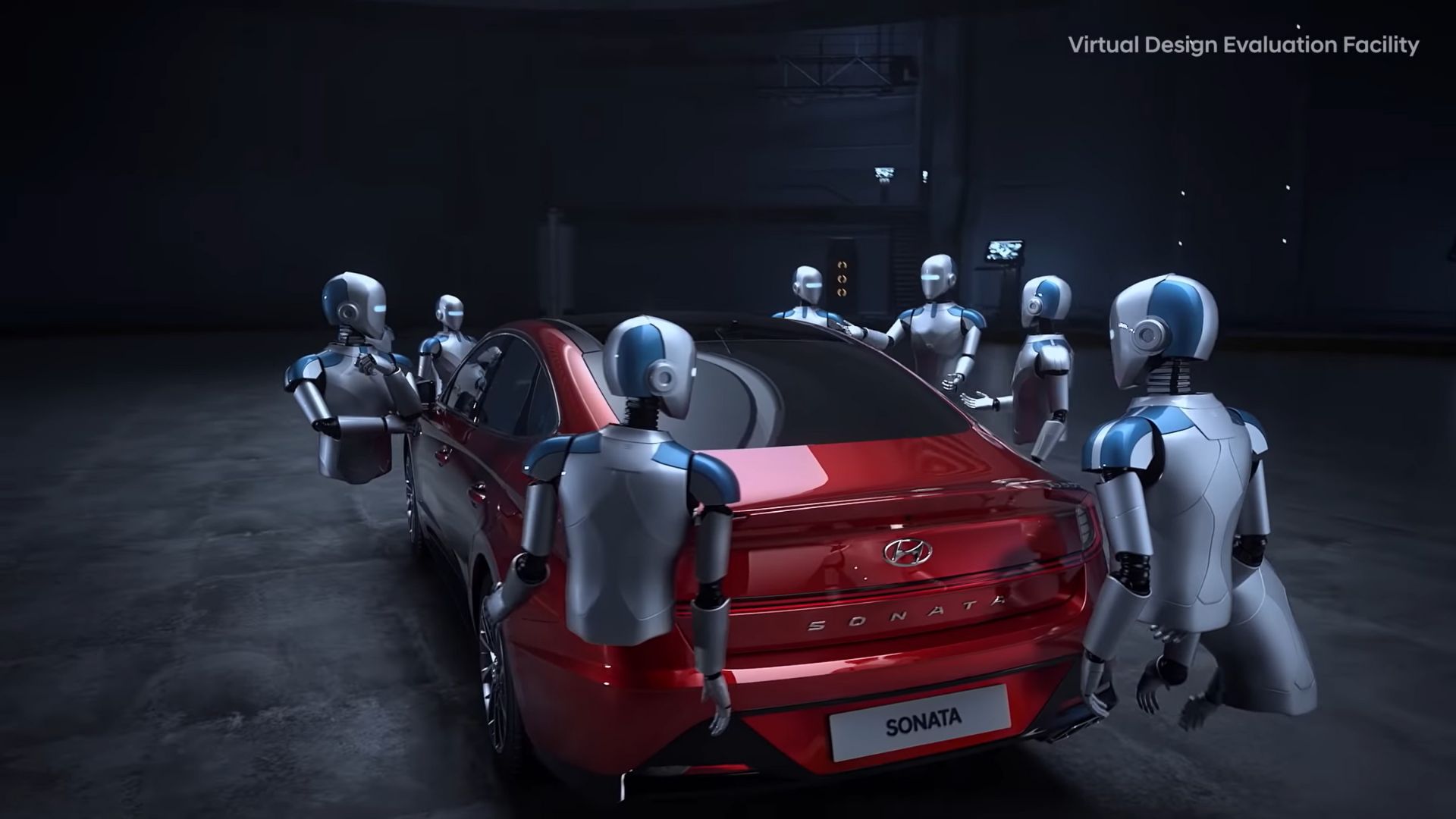
– Hyundai’s collaborative virtual reality design experience. Image credit: Hyundai
Responsiveness is achieved by using LPVR-CAD to combine data from the inertial measurement unit built into the headsets and information from the optical tracking system. The optical system uses 36 infrared cameras to track the 160 markers attached to the HMDs and hand controllers. Perfectly smooth and uninterrupted position and orientation data of each user’s HMD is achieved by using LP-RESEARCH’s sensor fusion algorithms.
Depending on the type of headset, users either wear a backpack PC, connect to a host wirelessly or use an extra-long cable to connect directly to a rendering PC outside the tracking volume.
“Currently, we are actively utilizing VR from the initial development stage to the point of development. In the future, we plan to increase accessibility and usability by simplifying equipment using wireless HMDs. For this, improving the speed and stability of wireless internet is essential, which we plan to address by introducing 5G. In addition, LP RESEARCH’s technology is essential for multi-user location sharing within a virtual space.” – SungMook Kang, Visualization Specialist, Hyundai Motor Company
Next-level Automotive Entertainment with CUPRA
Imagine.. playing Mario cart, your hands are gripping the wheel, and you are in Neo Tokyo, on a race track. Futuristic buildings keep flying by while you race ahead, drifting into long turns and leaving your competitors behind you.
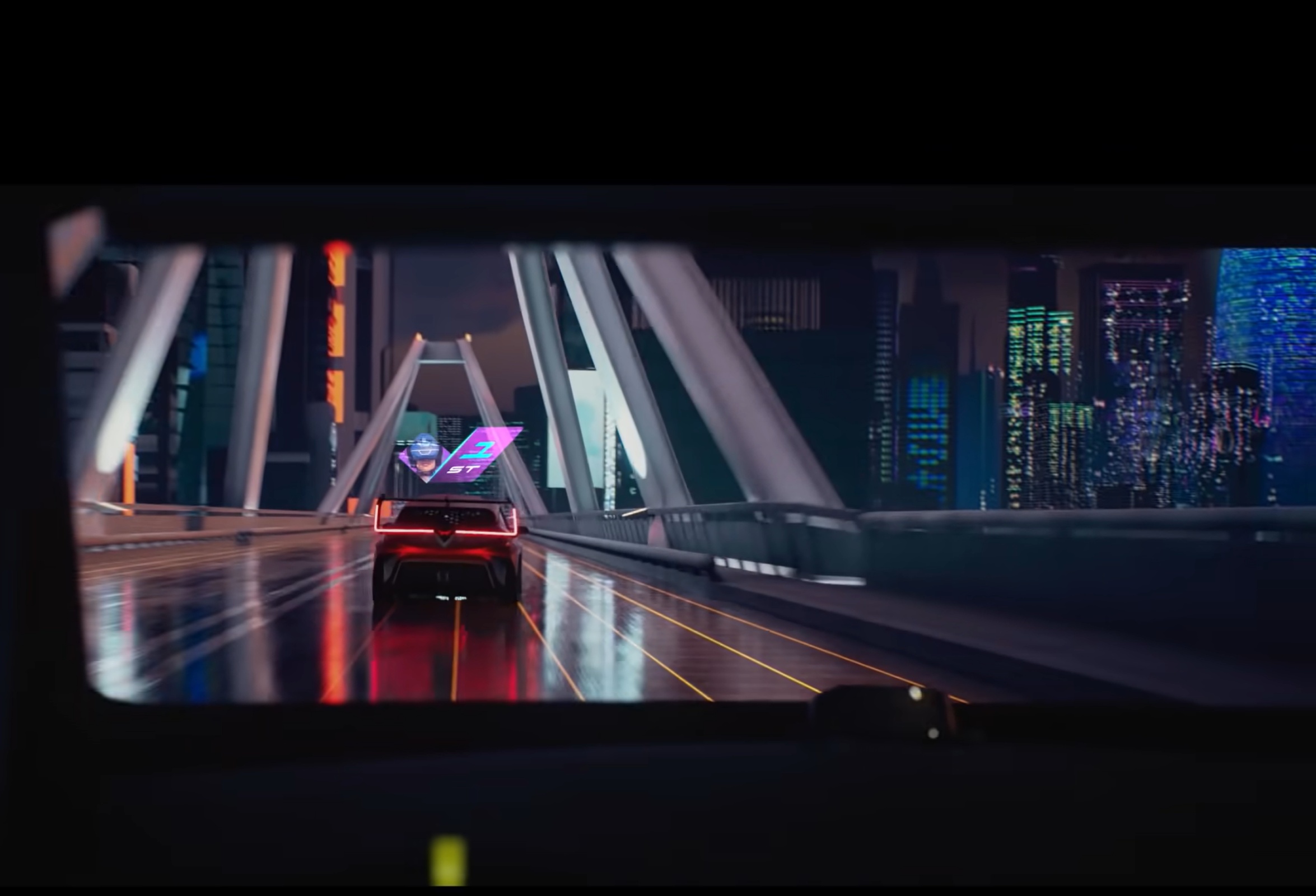
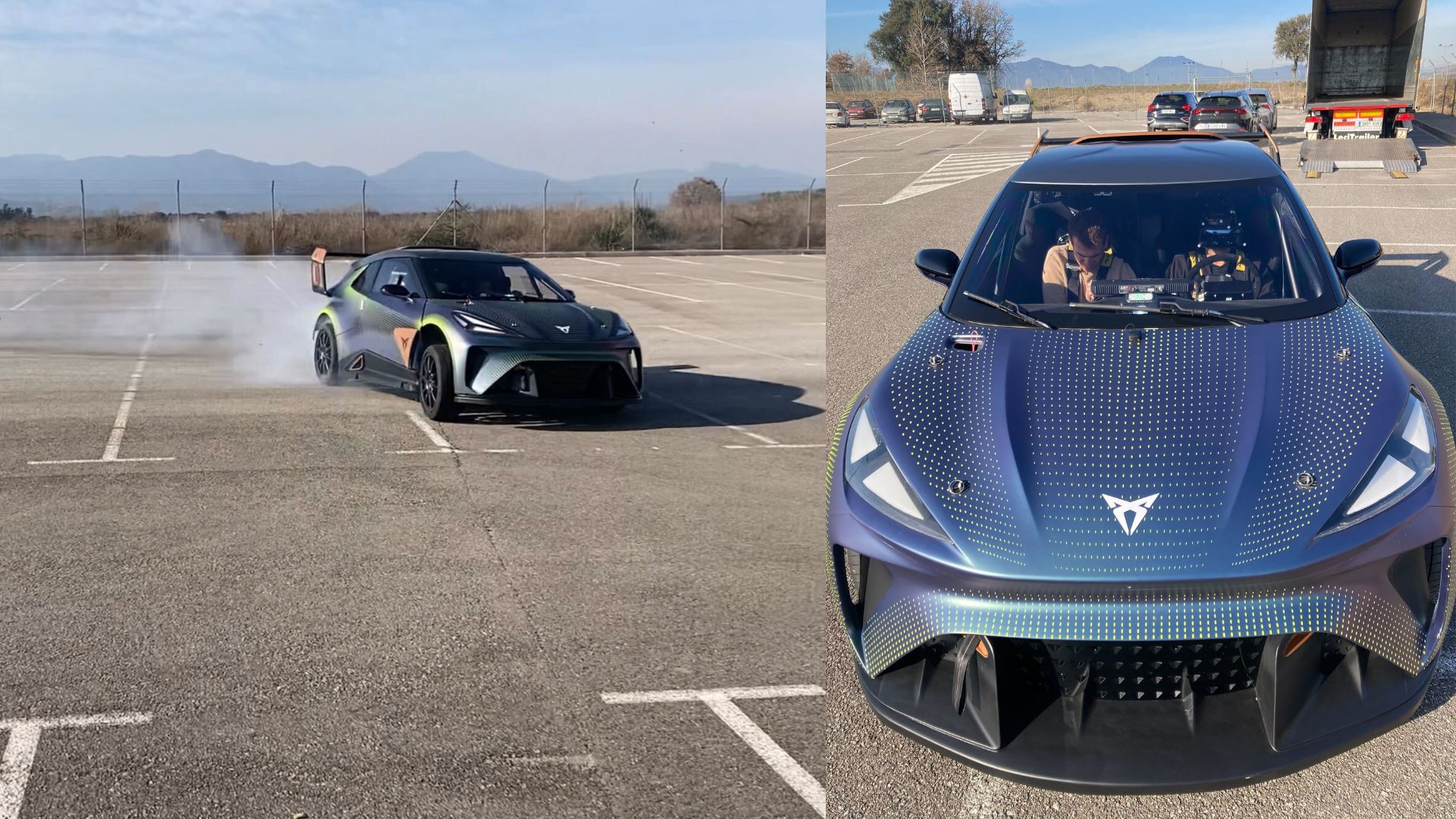
Now imagine you are no longer in your living room, you are sitting in an actual race car, buzzing around in an empty parking lot. Instead of looking through the windshield with your own eyes, you are wearing a Varjo XR-3 HMD. What you see outside the car is a virtual world, it’s Neo Tokyo.

– The view through the Varjo XR-3 headset. Image credit: CUPRA
As the car moves on the parking lot, you move inside the virtual world. When you move your head inside the car’s cockpit, the motions of your head are accurately tracked.

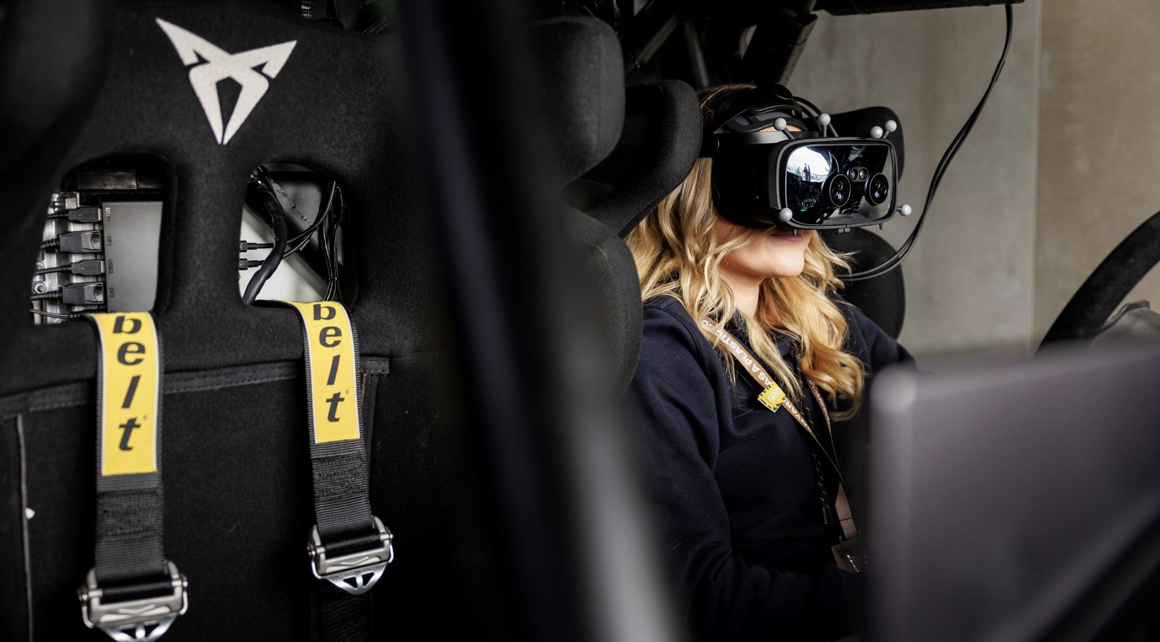
– Varjo XR-3 inside the cabin of the Urban Rebel. Image credit: Fonk Magazine

– Cupra’s Urban Rebel drifting on the test course
Together with the Norwegian company Breach VR, we have implemented this experience for the automotive company CUPRA. CUPRA is relentlessly pushing the technology of their vehicles into the future, striving to provide a novel driving experience to their customers.
Tracking of the vehicle and the Varjo XR-3 inside the vehicle is achieved with LP-RESEARCH’s automotive tracking systems LPVR-DUO. As the headset’s gyroscope sensors record the superimposed motion data of the car and the user inside the car, a specialized sensing system, and the algorithm are required to separate the two.
The result of this cascade of exceptional technology is a compellingly immersive driving experience of the future. The combination of an outstanding visualization device like the Varjo XR-3, LPVR state-of-the-art tracking, BreachVR’s 3D software and design and, last but not least, the incredible CUPRA race cars make for an exciting ride that you’ll greatly enjoy and never forget. Come and join the ride!
Check this blog blog post in the Varjo Insider Blog.
Check out our Instagram for further use cases with Varjo’s HMDs: @lpresearchinc
Ready – Steady – Go!
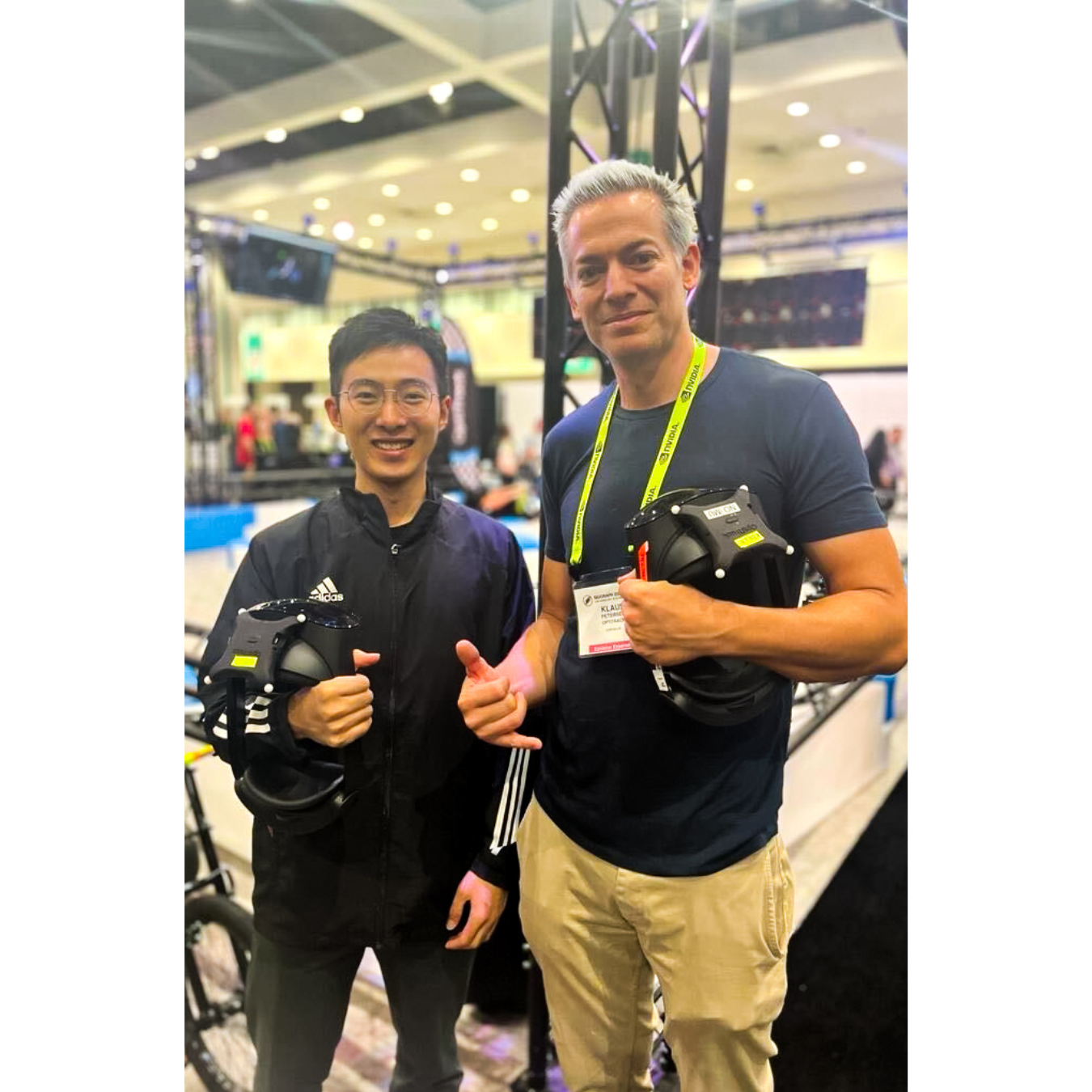
We had an exciting week at the Siggraph 2023 computer graphics conference in Los Angeles showcasing LPVR-AIR! Together with optical tracking systems maker Optitrack and content creator Meptik we developed a real-time racing experience using trikes. On these trikes exhibition attendees were able to race in a small concourse we set up at the exhibition site. Each trike rider we equipped with a Meta Quest virtual reality headset showing a Mario Kart-like track using our LPVR-AIR tracking and real-time streaming solution.

The twist: We attached an Optitrack active marker target to each HMD so we were able to have multiple players move in a globally referenced tracking volume. With LPVR-AIR we don’t render the 3D content on the HMDs themselves, but wirelessly transmit it from specialized rendering PCs. This allows us to display high polygon-count content on the HMDs without exceeding the limited computing power of the standalone headsets.
We are still working on a dedicated product page for LPVR-AIR, but already created a solid amount of documentation how to use the solution. Have a look at it here. The document also gives an insight into the specialities and limitations of the system.
Use-Cases Outside Gaming
LPVR series solutions are the industry standard for large-area VR and AR tracking. They enable consumer and professional headsets to work in conjunction with professional-grade tracking and motion capture systems, leveraging their power both in terms of precision and coverage of large areas. While in this demonstration, the trikes were tracked from the outside, we also enable headset tracking completely contained inside moving platforms such as simulators or cars. We are constantly developing and updating it according to our customers’ needs.
Thanks to everybody who stopped by and pedaled their way around the course. Great riding, well done!

Introduction
Our LPVR series is the primary solution on the market for users who want to expand the scope of their virtual reality or mixed reality headsets by using external tracking systems such as ART, OptiTrack or Vicon. Use cases are varied and range from entertainment (location based VR) and engineering use cases (ergonomic studies in AR) to helicopters and virtual cars which are actually driving on Japan’s public roads. At LP-Research, we have continuously developed the LPVR series of solutions over the past years. We have expanded its scope, added support for new headsets, and included new functions.
The image below shows an LPVR installation based on design content created by automotive prototyping company Phiaro Inc. in Tokyo, Japan.

The latest release is version 4.8.0, which we released in June of 2023. As usual, it comes in two flavors:
- LPVR-CAD which supports stationary use-cases, and
- LPVR-DUO which is our variant for moving platforms, be they cars or simulators.
We support all the major tethered headsets (SteamVR headsets, Pimax, Varjo). We also support Meta Quest series headsets and the Vive Focus 3 with our LPVR-Air series of products. If you have a current support contract, you are eligible for an update.
A Brief Overview of LPVR-CAD and LPVR-DUO
It’s maybe best to summarize some of the capabilites that our products add to the various commercial headsets. For more details, feel free to visit the product pages for LPVR-CAD and LPVR-DUO, respectively:
- Cover arbitrary large areas and have VR scenes taking place in them
- Have an arbitrary number of users interact in such a space
- Do VR/AR inside a car or any other moving platform
- Track your user to sub-millimeter precision together with any number of props with no perceivable latency
- Use SteamVR controllers without the Lighthouses
We can do this because our proprietary sensor fusion algorithms allow us to combine the measurements of high-precision motion tracking camera systems with the measurements of the headset’s Inertial Measurement Unit (IMU). For the case of a moving platform, we can additionally incorporate data from an IMU installed on the platform to provide for a responsive, accurate performance also in those circumstances.
New Features
For a short overview of the changes in each version, please refer to our Release Notes. Here we will give some highlights and dig into some details. LPVR 4.8.0 is the result of continuous development in the half year or so since our previous releases.
New GUI Organization and Visual LPVR-DUO Configuration Interface
The most obvious change to users will be the reorganized GUI which streamlines the setup, completely doing away with the need to enter any JSON codes, while coming on a more cleanly organized surface. Especially for our LPVR-DUO users this means a vast simplification of the system. We have maintained the old configuration interface as an option to guarantee compatibility with existing workflows, but we don’t think that users will have to resort to it. Please let us know if your experience is different. If your headset tracking body is already calibrated, you should now be able to setup LPVR-DUO with some five mouse clicks.
When you load up the configuration, it will look something like this. Note that you no longer are led to a JSON editor where you manually have to enter the configuration. Instead you are greeted by a friendly, informative GUI.

At the bottom of the page, you will see links to the Documentation, a Calibration screen, and an Expert Mode, basically the old JSON editor. The Calibration screen is used for the setup of the Platform IMU and simplifies it down to a few mouse clicks in the usual case. No more looking for some quaternion values in log files! Please check out the corresponding documentation.
Varjo Headset Eye Point Adjustments
Together with Varjo and with cooperation of several of our customers we were able to identify and correct some imprecisions in the handling of the headset’s position. These would show up as small coordinate mismatches between the optical tracking coordinates and the coordinates reported to VRED or Unity etc. Additionally, this would lead to some unnatural motion of AR overlays, especially when turning the head.
Optimal performance requires updating both Varjo Base to at least version 3.10 and LPVR to at least version 4.8.0. Updating Varjo Base fixes the underlying issue, updating LPVR corrects the interfacing. If you cannot update Varjo Base, you can still update LPVR-CAD-Varjo to version 4.8.0 and enable a workaround. To do so, please open the Varjo Base configuration GUI on the System tab and then add patchPositionBug=true in the field labeled Additional Settings followed by clicking the “Submit” button. Note while this works around the issue in Varjo Base before version 3.10, it is not recommended to use this option with the updated versions of Varjo Base.
Varjo Configuration Refinements
Different environments call for different setups. Some of our users use administrator accounts, others have multiple users but want them to use the same configuration. We have updated the way we organize on-disc storage of the configuration to address these possibilities. In particular you can now establish a system-wide configuration default, and you can override it per-user. In the case of LPVR-CAD, additionally, the configuration is entered inside Varjo Base by default, but to allow users greater flexibility, it has always been possible to use our web interface or files on disk to perform the configuration. While these are not the preferred choice, it was previously not possible to see from Varjo Base whether the on-disk configuration is in use. We have added a prominent status information that points to the configuration, as in the screen shot below. In the case of LPVR-DUO the configuration is always loaded from disk as the added flexibility of our configuration page is required, but in LPVR-CAD the user will have to opt in. We describe the process briefly below.

The user can prepare a global, system-wide default configuration in %ProgramData%/Varjo/VarjoTracking/Plugins/LP-Research/LPVR-CAD-Varjo/configuration/settings.json. Changes on the configuration page will not change this configuration, but will instead be written to the per-user configuration %LocalAppData%/LP-Research/LPVR-CAD-Varjo/settings.json. If either file is present, the configuration inside Varjo Base will be ignored and the user can use their web browser to configure LPVR-CAD. In this way, an administrator can prepare a configuration that works with the setup, and any user can customize it to their needs. For LPVR-DUO, there is no configuration interface inside Varjo Base, instead the user will always point their web browser to http://localhost:7119. Here, a system-wide default configuration can be placed in %ProgramData%/Varjo/VarjoTracking/Plugins/LP-Research/LPVR-DUO-Varjo/configuration/settings.json, and a per-user override can sit in %LocalAppData%/LP-Research/LPVR-DUO-Varjo/settings.json. The web interface will always update this per-user file.
LPVR-DUO Demonstration
In order to familiarize you with the neighborhood of our office and, more importantly, to show what can be done with LPVR-DUO, here is an in-car mixed reality demonstration. The video screens on the glove box may look almost real but they are an overlay imposed on the see-through camera image of a Varjo XR-3 using an out-of-the-box LPVR-DUO set. Notice how the screens firmly remain in place during turns of the user’s head as well as turns of the car itself, even when diving into some of the steeper roads of the Motoazabu area in central Tokyo.