

VR and AR in Moving Vehicles and Motion Simulators
Put a VR headset on a passenger in a moving car, on a pilot in a helicopter or on a driver in a motion simulator, and the tracking that works perfectly in an office breaks within seconds. This article explains why, what a tracking system for a moving platform has to do differently, and how LPVR-DUO and LPVR-POS solve it for automotive, aerospace and simulation customers.
Why standard headset tracking fails in a vehicle
A headset’s tracking assumes that the world around it stands still. In a vehicle two things move at once: the head relative to the cabin, and the cabin relative to the world.
- The headset’s IMU measures acceleration and rotation relative to the world. When the car brakes or turns, the IMU reports motion even though the head has not moved relative to the seat, and the virtual cockpit lurches.
- The headset’s cameras (inside-out tracking) see the cabin, which is stationary relative to the head, and report no motion. The two sensors contradict each other, the fusion inside the headset fails, and tracking is often lost entirely.
- Cameras looking out of the windows see the road moving and add a third, inconsistent motion.
The same happens on a motion simulator, where the platform tilts and translates to reproduce vehicle dynamics: the headset feels the platform, not the driver.
What a moving-platform tracking system must do
The pose that matters for rendering is the head relative to the vehicle: that is what places the virtual dashboard, steering wheel and windows correctly. The vehicle’s own motion is then applied separately to the outside world. A tracking system on a moving platform therefore needs:
- A measurement of the vehicle’s motion, so that it can be subtracted from what the headset’s IMU feels.
- A reference for the head inside the cabin that does not depend on the outside world.
- Prediction, because vehicle dynamics and head motion both change quickly and the display must show the pose at the moment the frame is visible.
The LPVR-DUO approach: two IMUs and an in-cabin reference
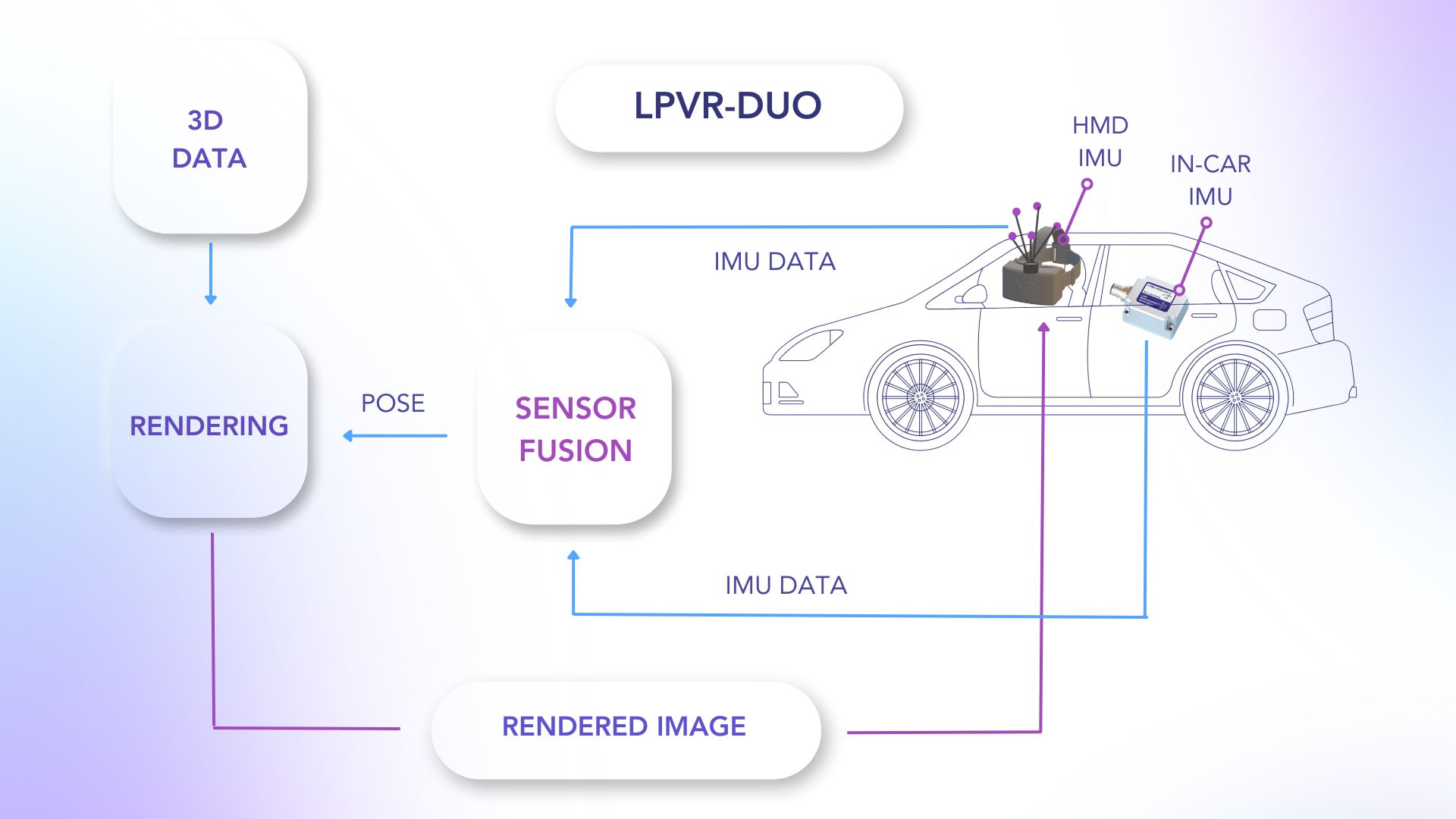
LPVR-DUO mounts a second LPMS IMU rigidly to the vehicle. The fusion subtracts the vehicle-fixed IMU’s motion from the headset IMU’s motion, leaving the head’s motion relative to the cabin. This differential IMU pipeline runs at 1000 Hz, which is what keeps the cockpit stable during hard braking, cornering or turbulence. An optical tracker in the cabin, typically a compact ART SmartTrack 3, watches markers on the headset and provides the absolute position and drift correction, referenced to the vehicle rather than to the road. The output is a standard SteamVR or OpenXR pose, so Unity, Unreal and Autodesk VRED applications run without modification.
The vehicle-fixed IMU also gives the application the vehicle’s motion. The outside world in the virtual scene can therefore move exactly as the real car does, which keeps the passenger’s sense of balance and their eyes in agreement and is the main defence against motion sickness.
In-flight simulation: a helicopter as the platform
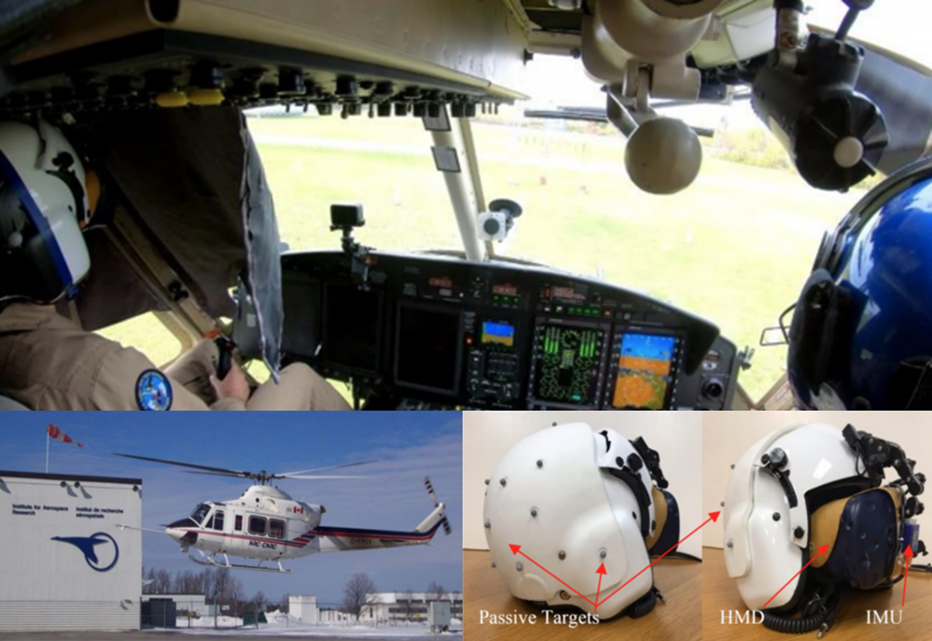
The most demanding deployment of LPVR-DUO is airborne. The National Research Council Canada flies a variable-stability Bell 412 as its Integrated Reality In-Flight Simulation platform: the pilot wears a headset attached to the flight helmet and sees a virtual ship deck in high seas while the real aircraft flies, so that ship-helicopter operating limits can be trained safely. Vibration, changing light through the canopy and extreme manoeuvres are all present, and the fusion of helmet markers, helmet IMU and aircraft motion keeps the virtual world stable. The full story is in LPVR-DUO in an airborne helicopter.
Motion simulators
On a driving or flight simulator the platform motion is known to the simulator software, but the headset still has to be tracked relative to the moving cockpit. LPVR-DUO treats the platform exactly like a vehicle: one IMU on the platform, one on the headset, an optical reference on the cockpit. Because the tracking is referenced to the cockpit, the simulator can move as aggressively as its actuators allow without the headset losing track, and the same setup works with Varjo XR-4, Meta Quest 3, Apple Vision Pro or Xreal headsets.
Anchoring content to the real world: LPVR-POS
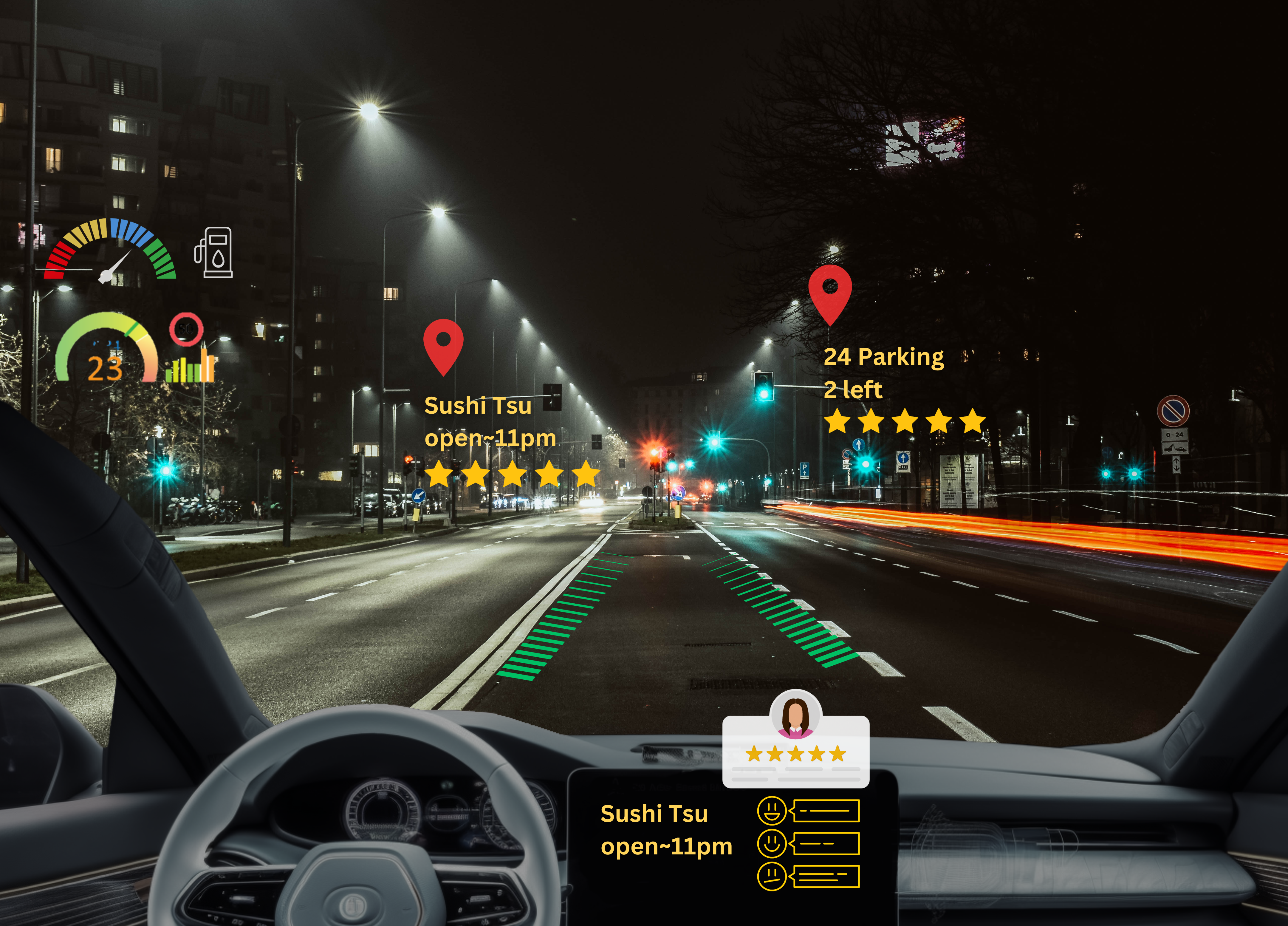
Some applications need more than a stable cockpit. Navigation arrows painted onto the real road, points of interest on real buildings or a virtual vehicle driving next to the real one on a test track all require the vehicle’s pose in world coordinates at the frame rate of the display. LPVR-POS delivers that pose by fusing RTK-GNSS, the vehicle’s wheel odometry from the CAN bus and an LPMS IMU inside FusionHub. With an RTK fix the absolute position is around 0.1 m; when the fix is lost in a tunnel or under trees, odometry and IMU bridge the gap for tens of seconds. The output runs at up to 500 Hz and combines with LPVR-DUO’s in-cabin head tracking to place the headset in the world.
The same vehicle pose drives vehicle-in-the-loop testing: a real car on a test track interacts with a simulated traffic scene, as in our ADAS testing work with IPG CarMaker.
Typical applications
- Driving simulators and motion platforms for vehicle development and driver training
- In-flight and in-vehicle pilot and operator training
- Design reviews of interiors and HMI concepts in a real, moving vehicle
- In-car entertainment and augmented reality guidance for passengers and drivers
- ADAS and autonomous driving validation with vehicle-in-the-loop setups
Getting started
A moving-platform installation is defined by three choices: the headset, the optical tracker that fits the cabin, and whether world-referenced content (LPVR-POS) is needed. The LPVR product overview lists supported headsets and specifications, How VR headset tracking works covers the tracking fundamentals, and our team will propose a configuration for your vehicle or simulator when you contact us.